
Apr 14, 2026
The Art of Vigilance: How to Recognize and Neutralize Phishing Emails
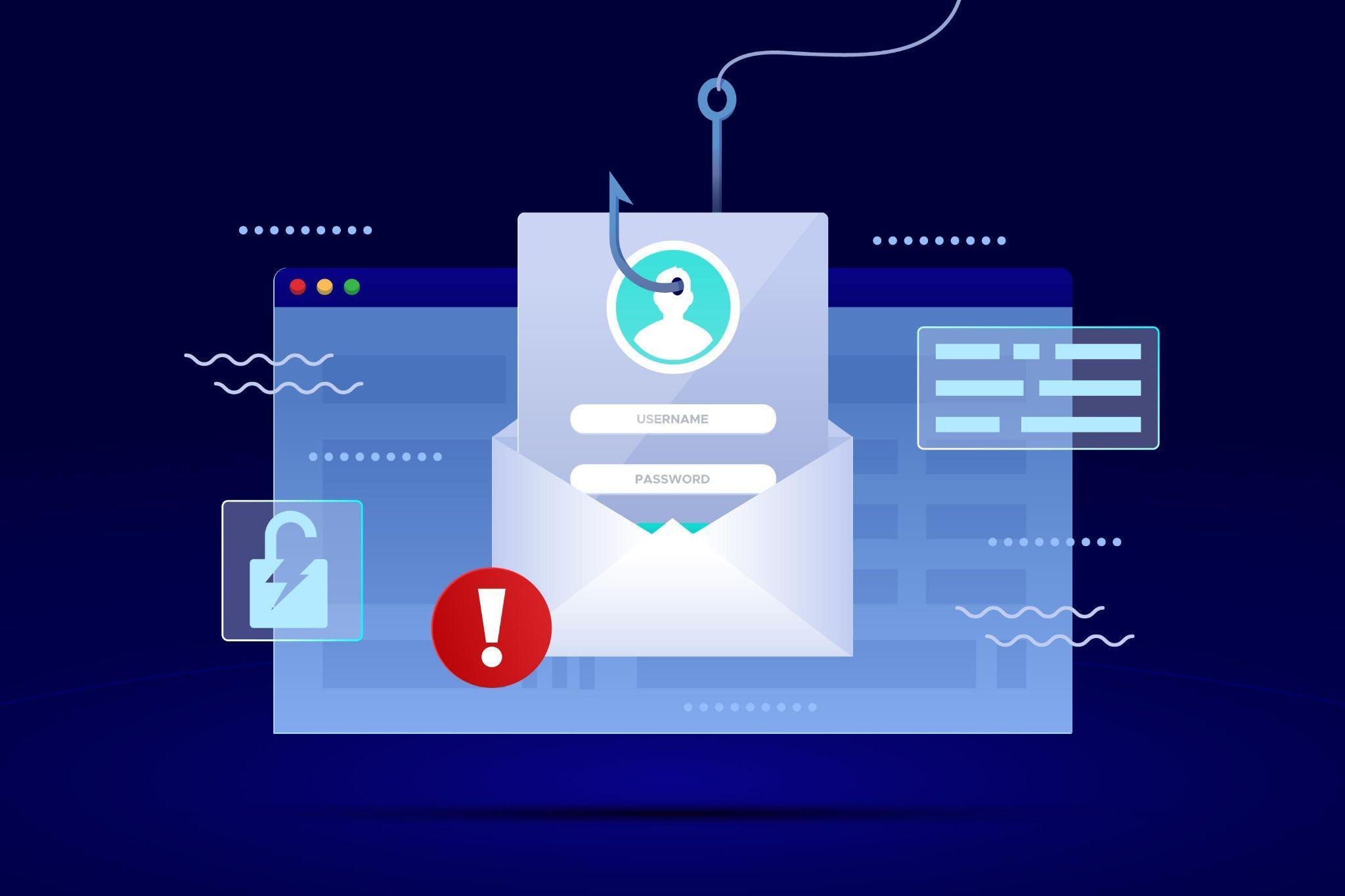
In the digital landscape, phishing remains one of the most pervasive threats to individual and organizational security. Phishing is a form of cybercrime where attackers masquerade as a trusted entity to deceive victims into revealing sensitive information, such as login credentials, financial details, or personal data. According to the Cybersecurity & Infrastructure Security Agency (CISA), phishing attacks are often the entry point for more complex cyber incidents, highlighting the necessity for robust defense mechanisms grounded in user awareness.
Understanding the Anatomy of a Phishing Attempt
Phishing emails are designed to exploit human psychology rather than just technical vulnerabilities. Attackers rely on tactics that trigger immediate reactions, such as urgency, curiosity, or fear. The Federal Trade Commission (FTC) emphasizes that legitimate organizations will rarely contact users to demand immediate action regarding sensitive account information via email. When an email creates a high-pressure environment—for instance, threatening account closure within twenty-four hours—it should be treated with extreme skepticism.
Technical indicators are equally critical. Attackers frequently use spoofed sender addresses that look nearly identical to official domains. For example, replacing a '0' with an 'o' in a domain name is a common technique used to bypass cursory visual inspections. Analyzing
the email header and verifying the true origin of the message is a fundamental step recommended by the FBI to prevent falling victim to these deceptive practices.
Key Indicators: What to Look For
Effective defense against phishing begins with identifying subtle red flags. Beyond the sender address, the content of the message often contains telltale signs of malice:
- Generic Greetings: Legitimate institutions typically personalize communications.
Phishing emails often use placeholders like "Dear Customer" or "Dear Member".
- Suspicious Links: Hovering a cursor over a link without clicking reveals the actual
destination URL. If the URL does not match the expected official website, it is likely malicious, as detailed by the National Cyber Security Centre (NCSC).
- Unusual Attachments: Unexpected invoices, receipts, or shipping documents are
common vectors for malware. The National Institute of Standards and Technology (NIST) advises against opening attachments from unknown or unsolicited senders.
- Poor Quality/Formatting: While phishing is becoming more sophisticated, many
attacks still feature grammatical errors, inconsistent branding, or low-resolution logos that would not appear in official correspondence from reputable brands.
Comparison of Legitimate vs. Phishing Emails
| Feature | Legitimate Email | Phishing Email |
|---|---|---|
| Sender Domain | Matches official organization perfectly | Slightly altered or completely different |
| Call to Action | General or informative | Urgent demand for immediate action |
| Personalization | Addressed to the user by name | Generic greeting or no name |
| Link Integrity | Directs to known, secure domain | Redirects to suspicious or masked URL |
Advanced Techniques and Emerging Threats
As users become more adept at spotting classic phishing, attackers have pivoted toward more nuanced methods. Spear phishing, for example, targets specific individuals or departments with highly personalized content, often referencing real project names or colleagues to build false credibility. The Microsoft Security Blog notes that the integration of artificial intelligence in phishing generation has allowed attackers to craft more convincing, error-free messages at scale.
Furthermore, QR code phishing, or "quishing," has emerged as a significant threat. By embedding malicious links within QR codes, attackers circumvent traditional email security filters that scan text but may fail to analyze the destination of an image-based link. As outlined by SANS Institute, maintaining awareness of these evolving vectors is essential for comprehensive security hygiene.
The Role of Multi-Factor Authentication
Even the most vigilant users can occasionally be deceived. This is where defense-in-depth strategies become vital. Multi-Factor Authentication (MFA) serves as a critical secondary line of defense. Even if an attacker successfully extracts a password, they cannot access the account without the secondary authentication factor, such as a hardware token or an approved mobile notification. According to research from Google Security, the adoption of robust MFA can block the overwhelming majority of automated account takeover attempts.
Frequently Asked Questions
- What should I do if I suspect I have received a phishing email?
Do not click any links or download attachments. Report the email using the built-in "Report Phishing" function in your email provider, or forward it to the organization the attacker is impersonating. Once reported, delete the email immediately.
- Can my mobile device be phished just like a desktop?
Yes. Mobile users are often at higher risk because the smaller screen size can make it harder to verify long, complex URLs or check the full sender address. Always exercise the same level of caution on mobile as you would on a workstation.
- Is it possible for a company to send emails that look like phishing?
Occasionally, poorly managed email marketing or automated system notifications can appear suspicious. However, reputable companies will never ask you to provide a password via an email link. When in doubt, navigate directly to the company's official website via a browser rather than clicking email links.
Conclusion
Recognizing phishing emails is not a one-time skill but a continuous process of learning and vigilance. By understanding the common indicators, staying informed about evolving threats, and implementing layered security measures like MFA, individuals can significantly reduce their risk of compromise. Maintaining a healthy level of skepticism toward unsolicited requests for information is the most effective tool in any user's defense arsenal. As cybersecurity threats continue to advance, the commitment to digital literacy and cautious behavior remains the cornerstone of personal and professional information safety. For further reading on developing a comprehensive security mindset, the resources provided by Stay Safe Online offer invaluable guidance for all digital citizens.
Related Blogs
The Complete Home WiFi Security Setup Guide: Protect Your Network and Personal Data
Jun 5, 2026
How to Spot a Fake Text Message in 2026
Jun 4, 2026

Prevent Grandparent Scams Now: A Complete Guide to Protecting Older Adults from Financial Fraud
Jun 2, 2026
Facebook Privacy Settings Guide: How to Take Control of Your Data and Stay Safe Online
May 29, 2026
How to Organize and Backup Digital Photos: A Complete Guide to Protecting Your Visual Memories
May 26, 2026

Where Are My Photos Stored? A Simple Guide to Cloud Storage
May 22, 2026

Essential Phone Security Settings for Seniors: A Comprehensive Guide to Staying Safe in the Digital Age
May 22, 2026
The Complete Guide to Identity Theft Recovery: Reclaim Your Financial Security Step by Step
May 19, 2026

Safe Internet Browsing Practices: A Comprehensive Guide to Protecting Your Digital Life
May 15, 2026

Essential Cybersecurity Guide for Older Adults: Password Management and Scam Prevention
May 13, 2026