
By Claire Bennett
Apps and Accessibility Editor
May 13, 2026
Essential Cybersecurity Guide for Older Adults: Password Management and Scam Prevention
Introduction
The internet has become an inseparable part of daily life. Whether it's video chatting with grandchildren who live far away, shopping online for essentials, or using health apps to monitor blood pressure and glucose, digital technology is quietly transforming our routines. However, convenience comes with risks: online scams, account hacks, and personal information leaks are increasingly affecting older adults.
According to Pew Research Center 2023, about 70% of Americans aged 65 and older use a smartphone or tablet. More older adults are exploring the digital world, but they face security challenges.
This guide aims to help you protect yourself while enjoying the benefits of the internet, using real-life stories and practical examples. At the end, there are two interactive quizzes to help you evaluate your cybersecurity awareness and scam detection skills—try How Strong is Your Cybersecurity Awareness? and Would You Fall for an Online Scam?.
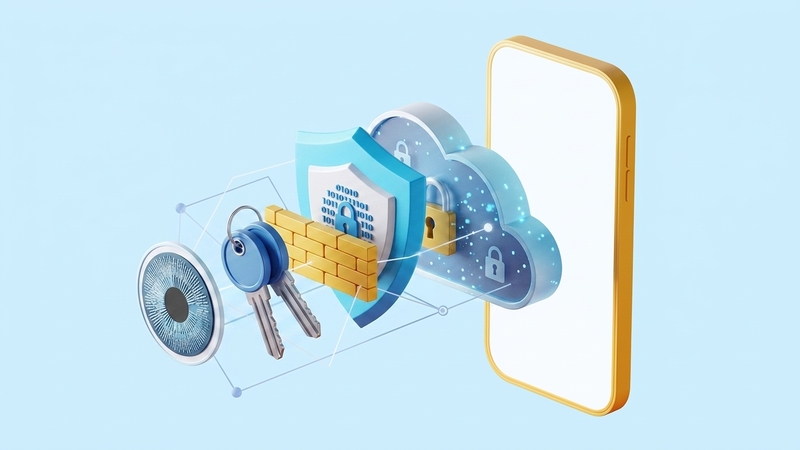
Why Cybersecurity Matters for Older Adults
Older adults are often prime targets for scammers, not because they are less intelligent, but because they may be less familiar with how to spot suspicious emails or unsafe apps.
John, a retired teacher, regularly emails his friends. One day he received an email that appeared to be from his bank, claiming there was an issue with his account and asking him to log in immediately. The email looked official, and he instinctively clicked the link and entered his details. Within minutes, his account was compromised, and he lost over $3,000.
Similarly, Margaret, a retired nurse who enjoys online shopping, used the same password "Mary2020" across multiple sites. One day her shopping account was hacked. While she didn't lose a large sum, the breach of personal information caused her significant stress. She recalls, "That moment made me realize I was essentially exposed online."
These stories show that cybersecurity affects not just finances, but peace of mind as well.
Password Management: Like Organizing Your Keys
Passwords are the first line of defense online. Think of each account as a door at home; if every door uses the same key, losing it could be disastrous.
Tom, a retired teacher, used to combine his birthday with his name for all passwords. After a hack compromised his email, he started using a password manager to create complex, random passwords like "B!9dR#x7vQ2@". Suddenly, managing his online life became much easier.
Password managers act like a secure key box, storing complex passwords and syncing across devices. Some user-friendly options include:
- 1Password: simple interface, supports family sharing.
- LastPass: free version manages multiple accounts, works on browsers and mobile devices.
- Dashlane: provides password health scores and breach alerts.
Statistics show users of password managers experience 70% fewer account hacks (Statista, 2022). Tom, for example, never forgot his passwords or experienced another breach after adopting 1Password.
Two-Factor Authentication: Adding Another Door
Even strong passwords can be compromised. Two-factor authentication (2FA) adds an extra layer of protection. After entering your password, you must provide a secondary code, usually sent via SMS or an authenticator app.
Henry, a retired lawyer, enabled 2FA on his Gmail account. One day, someone tried to log in, but the code was required, and the attempt failed. He felt reassured, saying, "This extra step gives me real peace of mind."
It may take a little practice to get used to scanning codes or entering one-time passwords, but these small steps can prevent significant trouble.
Scam Prevention: Everyday Caution
Online scams are rarely obvious—they are like small traps embedded in everyday life.
Margaret, who shops online regularly, once received an email claiming her bank account had issues and needed immediate verification. The email looked authentic, and she nearly clicked the link. Fortunately, she checked with her daughter and verified via the official bank website. This small habit saved her a lot of worry, and she learned that slowing down and double-checking often prevents trouble.
Henry received a phone call from someone claiming to be a government agent offering a tax refund. They pressured him to provide bank details immediately. He hung up and verified the information online, avoiding a $2,500 loss. Scammers often create a sense of urgency, but calm verification usually protects you.
Scam prevention is as much about attitude as technology. A cautious approach, asking questions, and slowing down can become natural habits rather than forced routines.
Cybersecurity Awareness: Gradual Habit Building
Cybersecurity is like forming healthy habits. You don't suddenly master all nutrition rules, but eating a piece of fruit every day eventually becomes routine. Similarly, small daily steps can make you safer online.
Linda, a retired woman, spends a few minutes each day checking her emails and updating apps. Over time, she has become more sensitive to suspicious messages and can recognize safe websites. The digital world no longer feels like a maze, but a familiar community with friends and strangers alike.
Sharing experiences with family also helps. Linda discusses odd emails or calls with her grandchildren, analyzing what might be scams. This interactive learning strengthens her awareness and gives her a sense of control. Research shows older adults who receive cybersecurity training are 50% less likely to fall for scams (University of Michigan, 2022). Family discussions can be an equally effective informal training.
Assessing Your Cybersecurity Awareness
Just as we monitor our physical health, we can evaluate our online safety. Two helpful quizzes include:
- How Strong is Your Cybersecurity Awareness? Assess your password habits, device safety, and scam awareness.
- Would You Fall for an Online Scam? Scenario-based questions simulating common scams to highlight vulnerabilities.
These quizzes aren't meant to scare but to provide insight, guiding you toward simple improvements like adopting password managers or enabling 2FA naturally within daily routines.
Integrating Safety into Daily Life
Cybersecurity isn't just about technology—it's a lifestyle. You don't need to master everything at once. Small, consistent habits can make a big difference:
- Use a password manager to organize online accounts like keys in a safe.
- Approach emails, calls, or links from strangers with caution, like opening unfamiliar packages carefully.
- Share experiences with family or friends, turning safety into a communal practice.
- Keep systems and apps updated regularly, as casually as checking door locks.
Over time, the digital world can feel as comfortable as your morning coffee. You don't need to be an expert; a little curiosity and caution, coupled with simple protective habits, is enough to safeguard your online life.
Conclusion
The internet offers convenience and richness, but risks are real. Password management, scam awareness, and small daily habits are essential skills for older adults navigating digital life. Using password managers, enabling 2FA, verifying suspicious messages, and sharing experiences with loved ones can help you confidently enjoy online activities.
Cybersecurity is less about complex technology and more about a mindset. Each small action and careful decision builds a gentle yet strong protective wall around your digital life. Gradually, you can navigate the internet freely, without fear.
Related Blogs

How to Choose the Best Health Insurance Plan in 2026: A Complete Buyer's Guide
Jun 30, 2026

HMO vs PPO vs EPO: Which Health Insurance Network Is Right for You?
Jun 28, 2026
Understanding Health Insurance Deductibles, Copays, and Out-of-Pocket Maximums
Jun 26, 2026

Best Health Insurance Plans for Self-Employed Professionals in 2026
Jun 24, 2026

What Data Do Companies Collect
Jun 23, 2026

Family Health Insurance: How to Cover Everyone Without Breaking the Bank
Jun 22, 2026

How Auto Insurance Premiums Are Calculated: Factors That Affect Your Rate in 2026
Jun 20, 2026

How to Download Apps Safely from Stores: A Complete Security Guide
Jun 19, 2026

Comprehensive vs Collision Auto Insurance: What's the Difference?
Jun 18, 2026

How to Spot Fake Websites: A Complete Guide to Protecting Yourself Online
Jun 16, 2026