
May 1, 2026
Tech Support Scam Red Flags: How to Protect Yourself from Digital Fraud
The world of technology offers incredible convenience, but it's also created new avenues for criminals to exploit unsuspecting users. One of the most prevalent threats today is the tech support scam—a form of digital fraud that costs victims millions of dollars annually. Understanding the warning signs and knowing how to respond can save you from becoming another statistic.
Understanding the Tech Support Scam Landscape
Tech support scams have evolved significantly over the past decade. Rather than the crude phishing attempts of earlier years, modern scammers employ sophisticated tactics that exploit psychological vulnerabilities and technical anxiety. According to research from the Federal Trade Commission, tech support scams generated over $130 million in losses in recent years, with victims reporting increasingly realistic scenarios that blur the line between legitimate warnings and fraudulent alerts.
- The fundamental premise of a tech support scam remains consistent: a scammer convinces
you that your device has a critical problem, then offers to "fix" it for a fee. However, the delivery methods have become more creative. Some attackers use pop-up advertisements on websites you're visiting, others may call you directly claiming to represent your device manufacturer, and still others send phishing emails that appear to come from trusted companies. The psychological component cannot be understated—scammers deliberately create a sense of urgency and fear to cloud judgment.
How Scammers Create False Urgency and Panic
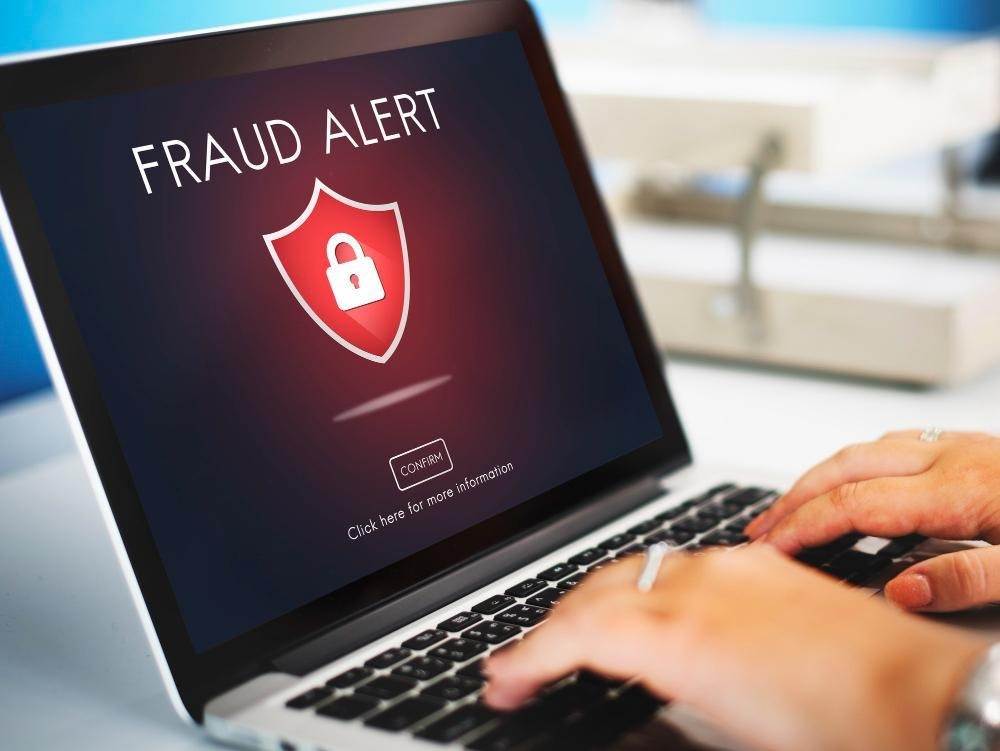
The first red flag in any tech support scam is the manufactured sense of crisis. Scammers understand that panicked users make poor decisions. They'll display alarming messages like "WARNING: Your device is infected with malware" or "Critical security update required immediately" on your screen. These messages often come with system-style formatting designed to mimic genuine operating system alerts, complete with official-looking logos and urgent language.
The timing of these alerts is rarely coincidental. Many scammers target users during late hours when people are tired and less likely to think critically. Others monitor browsing patterns and deploy their alerts when you're accessing banking websites or shopping platforms—moments when financial anxiety is already elevated. The goal is always the same: bypass your rational mind and activate your fear response. A telltale sign is when the alert refuses to disappear even after clicking the X button, or when it prevents you from accessing other applications. Legitimate security warnings from Microsoft or Apple never trap you in a loop or prevent normal device operation.
Identifying Suspicious Contact Methods
Unsolicited contact claiming to be from your device manufacturer or internet service provider represents another major red flag. When someone calls you unexpectedly claiming to represent Microsoft, Apple, or your ISP, exercise extreme caution. These companies have strict policies against cold-calling users about security issues. If you receive such a call, the safest response is to hang up and independently verify by calling the company's official support line found on their website.
Email notifications claiming urgent security action is required deserve similar scrutiny. Legitimate companies rarely pressure users through email to take immediate action without giving them time to verify. Scammers often use email addresses that closely mimic official addresses—for example, "[email protected]" instead of legitimate Microsoft domains. The telltale sign is that the email will attempt to create urgency and direct you to click a link immediately without verification options.
Browser-based alerts present a particularly deceptive form of contact. When you're browsing normally and suddenly see a full-screen alert claiming your device is infected, this is almost always a scam. These alerts often lock your browser and prevent normal navigation. Legitimate security vendors like Norton or McAfee don't prevent you from closing alerts or
continuing your browsing. The presence of a locked, inescapable screen is a definitive red flag.
Recognizing Fake Technical Indicators and Suspicious Software
One of the most convincing elements of tech support scams is the presentation of fake technical evidence. Scammers will show you file systems, system logs, or network monitoring windows that appear to contain viruses or malware. However, these are often screenshots or fake applications designed to look legitimate. They'll point out obscure system files with alarming names and claim these are infections requiring immediate removal.
Another common tactic involves opening the legitimate Windows or Mac system monitoring tools and highlighting normal system processes as if they were infections. For example, pointing to standard operating system services and claiming they're evidence of trojans or ransomware. If you don't have technical knowledge, these demonstrations can seem convincing, which is exactly what the scammer is counting on.
Browser extensions or system utilities that suddenly appear on your device are also cause for concern. Some scammers install legitimate-looking but unauthorized software that continuously shows alerts about problems it claims to be fixing. This software persists because you haven't authorized its removal, creating a sense that the problems are real and ongoing. Be extremely cautious about installing any software suggested by pop-up alerts or during browser redirects. Always download software directly from publisher websites rather than through redirects or links provided by third parties.
Red Flags in the "Solution" They Propose
How scammers propose to solve your problem reveals much about their true intentions. Legitimate tech support professionals will either fix issues remotely with tools like TeamViewer or AnyDesk that you've voluntarily installed, or they'll guide you through self-service solutions. Scammers, however, often follow a specific playbook that has several warning signs.
The request for remote access through legitimate tools isn't inherently a red flag if you initiated the contact, but combined with other suspicious elements, it becomes concerning. Once remote access is granted, scammers may show you fabricated logs suggesting extensive system damage, then demand payment to "restore" your system. Some scammers conduct prolonged troubleshooting sessions specifically to build false credibility before requesting payment.
Payment demands are the ultimate red flag. Legitimate tech support from major companies is either free (if it's a warranty issue) or priced transparently before service begins. Scammers demand immediate payment through untraceable methods like gift cards, cryptocurrency, or wire transfers. They may request amounts ranging from $200 to $2,000 depending on the scenario they've constructed. The insistence on unusual payment methods
is critical—established companies accept credit cards and invoicing methods that provide buyer protection.
Payment Methods and Financial Red Flags
The payment mechanism used by the scammer reveals their true intent. No legitimate tech support service will ask you to pay via iTunes cards, Google Play cards, or cryptocurrency. These methods offer no recourse for fraud victims, making them the payment method of choice for scammers. If someone is pressuring you to purchase and provide codes from gift cards to settle a security issue, this is definitively fraudulent.
Wire transfers and money transfers through services like MoneyGram or Western Union are similarly problematic. These methods are irreversible and designed for legitimate remittance, but scammers abuse them precisely because they can't be reversed. The fact that a supposed tech support company is directing you to a convenience store to send money should immediately raise alarm.
Even the psychology of payment timing matters. Scammers typically request payment immediately when they've supposedly discovered the problem, with threats that your account or device will be locked unless you pay quickly. This artificial deadline exists solely to prevent you from consulting someone else or conducting independent verification. Real technology companies, even in genuine security situations, provide grace periods and multiple contact methods for resolution.
Common Variations and Targeted Scams
Tech support scams have spawned numerous variations designed to target specific user demographics. Business scams often impersonate Apple or Microsoft representatives contacting companies about hardware support, sometimes targeting multiple employees to increase the likelihood of reaching someone who will pay. These variations may ask for payment in corporate gift cards or wire transfers from business accounts.
Banking and financial institution imitation represents another variation. Scammers may contact users claiming to represent their bank and suggesting that fraudulent transactions were detected. They'll request immediate action through a remote session to "verify" transactions or update security. This variation preys on financial anxiety and the legitimate concern people have about fraud on their accounts.
The tech configuration scam targets less-technical users by convincing them that normal configuration steps indicate system problems. A scammer might claim that your network isn't properly optimized, your registry needs cleaning, or your system's performance mode requires adjustment. These technical-sounding claims have no actual merit but succeed because the user doesn't possess the technical knowledge to verify them.
How Legitimate Support Actually Works
Understanding how genuine technical support operates serves as the best reference point for identifying fraud. Legitimate tech support from manufacturers like Dell, Lenovo, or HP follows predictable patterns that differ sharply from scam operations. When you contact support, you initiate the communication, not the other way around. You call numbers you've verified independently or use chat features directly from their official websites.
Professional support representatives verify your identity and device ownership before proceeding. They don't make sweeping claims about infections or critical failures without specific diagnostic information you can verify yourself. When remote access is requested, it's clearly optional and only used for issues that genuinely require it. The support session is documented with case numbers and follow-up information provided at the conclusion.
Pricing for technical support is transparent and established before service begins. Many manufacturers offer free support for hardware issues during warranty periods. Even paid support comes with clear explanations of what you're paying for. The session typically concludes with guidance on preventing future issues and confirmation that no additional payment will be required unless you've specifically authorized ongoing services.
What to Do If You Encounter a Tech Support Scam
If you encounter what appears to be a tech support scam, immediate action can minimize damage. The first step is disconnecting from the internet if possible, especially if you've allowed remote access. This prevents any malicious software from being deployed and stops the scammer's session. If you're seeing a pop-up or alert on a browser, you can force-close the browser without following the alert's instructions.
For compromised devices, the next step is running a legitimate malware scan. Tools like Malwarebytes or your device's built-in security features can detect if any unauthorized software was installed. Keep your operating system and security software updated, as these updates frequently patch vulnerabilities that scammers use to deliver malicious content.
If you've already provided payment information or credentials, contact your financial institution immediately. Alert them to the situation, request that accounts be monitored for fraud, and consider changing passwords for sensitive accounts like email and banking services. The sooner you report the incident, the better your chances of limiting financial damage.
Reporting the Scam to Appropriate Authorities
- Reporting tech support scams serves a dual purpose: it creates documentation that may
help authorities pursue the perpetrators, and it contributes to public awareness that helps others avoid the same fraud. The primary reporting avenue in the United States is the Federal Trade Commission, which maintains a comprehensive database of fraud complaints and actively works with law enforcement to pursue scammers.
Local law enforcement can also be notified, particularly if you've suffered financial loss. While individual scams may seem minor, law enforcement agencies look for patterns across
many reports to identify organized operations. If you've experienced fraud through a specific technology company's platform—for example, scam alerts appearing through their services—reporting directly to that company helps them strengthen their security and alert systems.
Internet Service Providers (ISPs) should also be notified if scam content was delivered through their networks or if you accessed scam sites through their services. ISPs have the ability to block malicious domains and sites from which scams are being distributed. Providing detailed information about how you encountered the scam helps these organizations take preventive action.
Comparison Table: Legitimate vs. Fraudulent Tech Support
| Characteristic | Legitimate Support | Fraudulent Support |
|---|---|---|
| Initial Contact | You initiate contact through official channels | Unsolicited contact via pop-ups, calls, or emails |
| Verification | Company verifies your identity and device ownership | Minimal or no verification; assumes urgency |
| Payment Method | Credit cards, invoicing, transparent pricing | Gift cards, wire transfers, cryptocurrency |
| Remote Access | Optional, clearly explained, easily terminable | Pressured, difficult to end, immediate access granted |
| Diagnosis | Specific issues with evidence you can verify | Vague threats, fabricated system logs |
| Urgency Level | Professional timeline with options | Extreme artificial pressure and deadlines |
| Communication Clarity | Clear explanation of problem and solution | Technical jargon designed to confuse |
| Follow-up Documentation | Case numbers, email receipts, support tickets | Minimal documentation, untraceable contact |
| Problem Claims | Specific to your reported issue | Blanket claims of widespread infections |
| Solution Verification | You can verify improvements independently | Improvements exist only in fake diagnostic tools |
Frequently Asked Questions About Tech Support Scams
Q: Can I get infected with malware just from visiting a website?
A: Most modern browsers and operating systems have protections against drive-by downloads that would automatically install malware. However, malicious websites can display convincing fake alerts claiming infection. These are scams, not actual infections. If you see such an alert on a reputable website, the alert itself is fake and attempting to trick you into downloading malicious software.
Q: Is it safe to use remote access tools like TeamViewer?
A: Remote access tools themselves are legitimate and necessary for genuine technical support. However, they become dangerous when you grant access to someone you haven't verified or haven't requested help from. Never grant remote access in response to unsolicited contact. If you need support, always initiate contact yourself and use only remote access tools the legitimate company recommends.
Q: What should I do if I've already paid a scammer?
A: Contact your financial institution immediately to report the fraud. If you paid via credit card, request a chargeback. If you paid through a gift card or wire transfer, contact the service provider to explain you were victim of fraud. While recovery is difficult, reporting quickly increases chances of limiting loss. Document all communications and keep records of the scam for law enforcement reports.
Q: How do I know if Microsoft or Apple is really calling me?
A: These companies do not cold-call customers about security issues. If someone claims to represent these companies, hang up and call the official support number from the company's website using your own phone. Never use a phone number provided by the caller. Wait at least 15 minutes before calling to ensure the original caller's line is completely disconnected.
Q: Can pop-up alerts on my computer indicate a real problem?
A: Pop-up alerts that appear during normal browsing are almost always scams. Legitimate security alerts are integrated into your operating system or antivirus software, not displayed as external pop-ups that distract from your work. If you see unsolicited pop-ups claiming system problems, closing the pop-up is usually sufficient. Running your legitimate antivirus software will identify any real threats.
Q: Is it ever legitimate for companies to contact me about computer problems I haven't reported?
A: No. Legitimate technology companies only contact you about issues you've reported or services you've purchased. Your ISP may contact you about your internet connection if they're performing maintenance, but they won't claim your device is infected or demand
immediate payment. Banks may contact you about suspicious transactions, but they won't demand payment through gift cards or remote access sessions.
Q: What antivirus software should I trust?
A: Established, well-known antivirus vendors with long histories and transparent operations are your safest choices. These include Microsoft Defender (built into Windows), Malwarebytes, Norton, and McAfee. Avoid installing antivirus software recommended by pop-up alerts or unsolicited contact. Always download directly from the vendor's official website.
Q: If I granted remote access to a scammer, what malware might be on my system?
A: Once you revoke remote access and disconnect from the internet, no new malware can be delivered. Run a full scan with Malwarebytes or your operating system's built-in security tools. Most users who've allowed scammers remote access haven't had malware installed—scammers are typically interested in money, not in creating persistent infections. However, completing a full scan confirms your system's status.
Q: Can hackers use the information I give to a tech support scammer?
A: This depends on what information was provided. If you gave only your name and general device information, the risk is limited. If you shared usernames, passwords, or financial information, there's greater risk. Change passwords immediately, particularly for sensitive accounts. Enable two-factor authentication if available. Monitor financial accounts closely for unauthorized transactions.
Q: How can I make my elderly relatives safer from these scams?
A: Education is the most effective prevention. Teach them to hang up on unsolicited tech support calls, not to click links in suspicious emails, and to contact you before making technology decisions based on pop-up alerts. Consider helping them set up remote access to their devices so you can assist them directly, reducing their need for external support. Regular check-ins about their technology experiences helps identify if they're being targeted.
Preventive Measures and Best Practices
Building resistance to tech support scams requires multiple layers of prevention. The foundational layer is skepticism toward unsolicited contact about technology problems.
- Establish a personal rule: you initiate technology support contact, you never respond to
unsolicited claims about computer problems. This single practice eliminates the majority of scam vectors.
Keeping your system updated is simultaneously important and often overlooked. Operating system updates and security patches regularly address vulnerabilities that scammers exploit. Set your devices to automatically install updates, particularly security updates. Browser extensions should also be regularly reviewed—uninstall anything you don't actively use, as outdated extensions can be exploited.
Creating a trusted relationship with legitimate technical support before you need it reduces vulnerability. If you use a computer at work, establish contact with your IT department before problems arise. For personal devices, familiarize yourself with the support options from your device manufacturer. Having a established support relationship reduces the likelihood you'll turn to an unknown source when problems occur.
Password management and authentication security serve as additional protective layers. Using unique, complex passwords for each online account ensures that compromised credentials for one service don't expose others. Enabling multi-factor authentication on accounts containing sensitive information (email, banking, social media) prevents unauthorized access even if passwords are stolen.
Educating household members about tech support scams creates a collective defense. When multiple people understand the warning signs, there are more eyes watching for suspicious contact. Family members can alert each other to new scam tactics they've encountered, creating shared awareness that benefits everyone.
The Psychology Behind Successful Tech Support Scams
Understanding why people fall victim to these scams is essential to recognizing them. Tech support scams exploit several psychological vulnerabilities that operate independently of technical knowledge. The fear of technology failure affects both novice and advanced users. When faced with an alarming message about system compromise, the emotional response often overrides logical analysis.
Authority and trust are additional psychological anchors scammers exploit. By mimicking legitimate companies, displaying official logos, and using technical language, they create an impression of authority that users naturally defer to. This deference shortcircuits the critical questioning that might otherwise occur.
Time pressure is a deliberately employed psychological tactic. By creating artificial deadlines and emphasizing immediate consequences of inaction, scammers override deliberate decision-making. This technique is so effective that it's employed across numerous fraud schemes beyond just tech support.
Social proof and reciprocity also play roles. When a scammer "helps" by showing you apparently malicious files or running diagnostic tools, it creates a sense of obligation. The victim then reciprocates by following the scammer's recommendations and providing payment.
Recognizing these psychological elements helps you maintain critical distance from scam pitches. When you feel sudden fear or urgency about a technology issue, pause before acting. When someone claiming authority is pressuring you, verify their claims independently. These mental checks activate your critical thinking and bypass the emotional hijacking that makes scams successful.
Emerging Scam Tactics and Evolution
Tech support scams continue to evolve as security awareness increases. Recent variations include scammers impersonating legitimate IT support staff for corporate networks, using stolen employee directories to appear more credible. Another emerging tactic involves scammers accessing social media accounts and messaging contacts to build false credibility before requesting money.
Mobile device scams are increasing in sophistication. Rather than just displaying pop-ups, scammers create fake apps that continuously show alerts, making the fraud appear persistent and credible. Some scammers even compromise legitimate ads on mobile websites, serving scam alerts through the advertising network.
Voice calling technology has been spoofed to show legitimate company phone numbers on caller ID. This tactic exploits the trust people place in phone number verification. A caller ID showing "Apple Support" or "Microsoft Support" appears legitimate even when the call originates from a scammer.
Staying informed about these emerging tactics helps you remain ahead of scammers. Following official security advisories from Microsoft, Apple, and Google provides current information about active scams targeting their users.
Building Long-Term Security Awareness
Protecting yourself from tech support scams is an ongoing practice rather than a one-time action. As threats evolve and new tactics emerge, your awareness must evolve correspondingly. Regular review of your device's security settings, maintenance of current software, and periodic refreshers on scam tactics maintain your defenses.
Documenting your own technology baseline helps you identify when something is wrong. Know your normal system performance, what legitimate alerts from your security software look like, and what you should expect during normal operations. When anomalies appear, this baseline knowledge helps you distinguish between legitimate warnings and fraudulent alerts.
Creating emergency protocols for when you encounter suspicious activity ensures you respond appropriately. These protocols should include knowing who to contact for legitimate support, how to disconnect from the internet if necessary, and how to report suspicious activity. Having these decisions made in advance prevents the panic-driven choices that scammers rely upon.
Teaching others about tech support scams multiplies the protective effect. When you share knowledge with family, friends, or coworkers, you create a network of informed individuals less vulnerable to fraud. Communities with higher awareness of scam tactics see lower victimization rates, suggesting that collective knowledge provides genuine protection.
Conclusion: Moving Forward with Confidence
Tech support scams represent a significant threat in the digital landscape, but they are not invulnerable. The mechanisms scammers employ are understandable, their tactics are identifiable, and their approaches have consistent elements that can be recognized and rejected. The investment in learning these warning signs provides protection that extends far beyond just tech support scams to other forms of digital fraud.
The red flags discussed throughout this exploration—unsolicited contact, artificial urgency, unusual payment methods, vague technical claims, and pressure to bypass verification processes—appear across numerous fraud schemes. Developing sensitivity to these indicators protects you across a broad spectrum of potential fraud, not just tech support scams.
Moving forward, remember that legitimate technology companies have every incentive to maintain your trust and follow established support protocols. Deviations from these protocols signal fraudulent operations. Your skepticism toward unsolicited contact, your insistence on initiating support interactions, and your refusal to provide information or payment under pressure are your primary defenses.
The most effective response to the threat of tech support scams is informed awareness combined with appropriate skepticism. This doesn't mean paranoia or technological anxiety—rather, it means understanding how these schemes operate, recognizing their warning signs, and responding appropriately when you encounter them. By staying informed, maintaining updated systems, and refusing to be rushed into decisions, you establish a security posture that makes you an unattractive target for scammers who depend on surprise, panic, and social engineering to succeed.
Your technology should serve your needs, not create anxiety or vulnerability. With the knowledge provided here, you have the foundation to protect yourself and contribute to a safer digital environment for everyone around you.
References and Further Reading
Related Blogs

The Complete Home WiFi Security Setup Guide: Protect Your Network and Personal Data
Jun 5, 2026
How to Spot a Fake Text Message in 2026
Jun 4, 2026

Prevent Grandparent Scams Now: A Complete Guide to Protecting Older Adults from Financial Fraud
Jun 2, 2026
Facebook Privacy Settings Guide: How to Take Control of Your Data and Stay Safe Online
May 29, 2026
How to Organize and Backup Digital Photos: A Complete Guide to Protecting Your Visual Memories
May 26, 2026

Where Are My Photos Stored? A Simple Guide to Cloud Storage
May 22, 2026

Essential Phone Security Settings for Seniors: A Comprehensive Guide to Staying Safe in the Digital Age
May 22, 2026
The Complete Guide to Identity Theft Recovery: Reclaim Your Financial Security Step by Step
May 19, 2026

Safe Internet Browsing Practices: A Comprehensive Guide to Protecting Your Digital Life
May 15, 2026

Essential Cybersecurity Guide for Older Adults: Password Management and Scam Prevention
May 13, 2026