
May 8, 2026
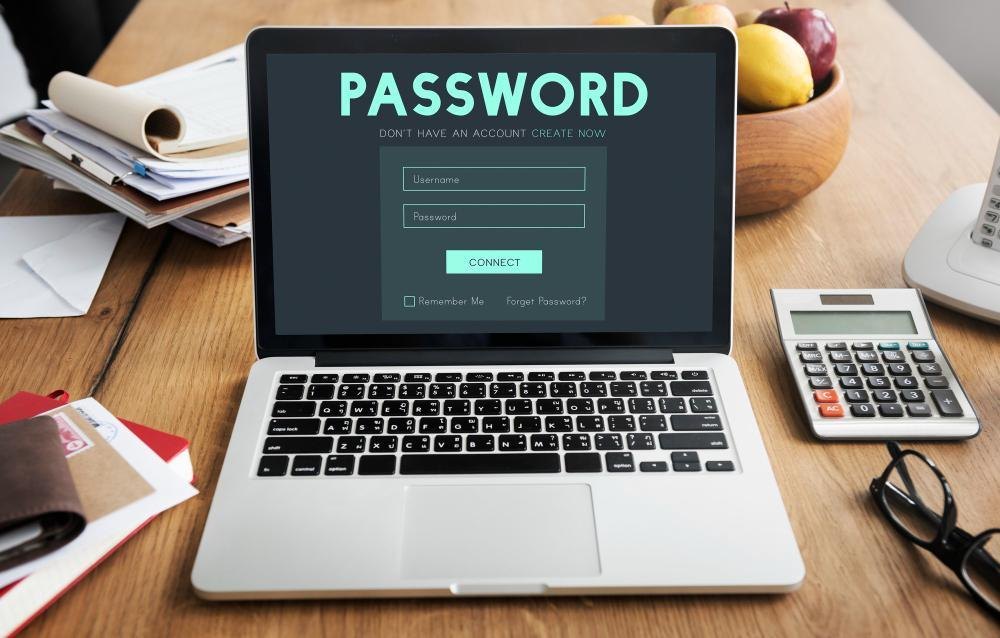
How to Create Strong Passwords That Actually Work: A Practical Guide to Digital Security
The average person manages over 100 passwords across different platforms, yet most remain dangerously weak. In an era where data breaches expose millions of credentials annually, understanding how to craft passwords that genuinely protect your accounts has become as essential as locking your front door. This guide explores the science behind password strength, practical creation strategies, and modern approaches to managing credentials safely.
Understanding Why Password Strength Matters
Every day, cybercriminals attempt billions of login attacks worldwide. According to research from the National Institute of Standards and Technology, weak passwords remain the leading cause of unauthorized account access, ahead of malware or social engineering. The difference between a compromised account and a secure one often comes down to a single decision: how much complexity went into the password creation process.
Password strength determines how resistant your account is to different attack methods. Hackers employ tactics ranging from simple dictionary attacks—where common words are tried systematically—to sophisticated brute-force attempts that test character combinations methodically. A weak password falls in seconds; a strong one resists these attacks for years or decades, making it economically unfeasible for attackers to waste resources on your account.
The stakes extend beyond individual inconvenience. When one password is compromised, attackers frequently test that same credential across multiple services. A weak email password, for instance, could grant access to password reset functions across dozens of other accounts. This cascading vulnerability explains why security experts prioritize password strength as a fundamental defense layer.
The Science Behind What Makes a Password Strong
- Password strength relies on two primary factors: length and complexity. Understanding how
these elements interact reveals why certain combinations are exponentially more secure than others.
Length is your most powerful ally. Each additional character multiplies the number of possible combinations an attacker must try. A 6-character password using lowercase letters offers roughly 308 million possibilities. Add just 4 more characters using the same character set, and you exceed 200 trillion combinations. According to the Cybersecurity and Infrastructure Security Agency, passwords should be at least 12 characters long to provide meaningful protection against current attack methods.
Complexity encompasses character variety. A strong password draws from multiple character types: uppercase letters, lowercase letters, numbers, and special symbols. Each additional character type exponentially increases the password space an attacker must search. However, this factor becomes less critical as password length increases. A 20-character password using only lowercase letters remains more secure than a 10-character password mixing all character types.
Predictability undermines strength. Passwords following obvious patterns—like "MyBirthday1990!" or "Password123"—fall to dictionary attacks and common substitution patterns. Attackers have databases of hundreds of millions of previously compromised passwords and can quickly test predictable variations.
The Electronic Frontier Foundation emphasizes that true password strength emerges from randomness and unpredictability rather than substitution of common words. A genuinely random 12-character password outperforms a predictable 20-character combination using recognizable patterns.
Character Types and Their Strategic Roles
Building an effective password means strategically combining different character categories.
Uppercase and lowercase letters provide the foundation for readability and initial complexity. They're necessary for most system requirements but insufficient alone. The 52-letter alphabet (A-Z, a-z) is too limited to withstand determined attacks.
Numbers add a second layer of complexity. Their placement matters less than their presence. A number embedded naturally within the password (like "7" within word characters) works just as effectively as numbers grouped at the end. The critical factor is that digits increase the character pool from 52 to 62 possibilities per position.
Special characters (such as!@#$%^&*()_+-=[]{}|;:",.<>?/) significantly expand available combinations. Their inclusion often jumps the character pool to 90+ options per position, meaning each special character roughly doubles the computational difficulty required for brute-force attacks.
Avoid replacing letters with numbers or symbols. Common substitutions like using "1" for "i" or "@" for "a" are the first patterns attackers test. Password cracking tools automatically attempt these predictable transformations, negating their intended security benefit.
Practical Methods for Creating Strong Passwords
Several proven approaches help generate passwords that are both strong and memorable.
The passphrase method combines random, unrelated words to create naturally complex passwords. Rather than developing "Tr0pic@lMoose42," you might use "CloudLemon-VioletTiger-Basket7." This approach creates psychological ease—unrelated words are easier to recall than random characters—while maintaining genuine randomness. The Internet Engineering Task Force supports passphrase methodology as particularly effective for human-generated passwords. The key is selecting truly random words rather than predictable phrases. Combining four random words, each from a diverse vocabulary, typically creates a 50+ character password when properly formatted with separators.
The substitution method within random structure works differently. Begin with a genuinely random character base, then personalize it subtly. For instance, a system-generated random password like "kR7#mQx9vL2$" can be anchored mentally by inserting a memorable but arbitrary substring. The strength remains tied to the random component, while memorability improves.
The keyboard pattern method uses physical proximity of keys to create seemingly complex strings. However, this approach should be considered supplementary rather than primary. "Qwerty123" and "Zxcvbn" are commonly attempted passwords. If using keyboard patterns, combine them with substantial additional randomness and ensure the overall password remains 12+ characters.
Password generation tools eliminate human limitations in randomness. Research from Princeton University demonstrates that human-generated passwords are significantly weaker than those created by algorithms specifically designed for this purpose. Reputable password managers include built-in generators that create truly random strings meeting your security requirements.
The Role of Password Managers
Paradoxically, the most effective password strategy often involves not memorizing passwords at all. Password managers solve a critical real-world problem: the tension between security and usability.
When strong password requirements seem impossible to memorize, users resort to weak passwords, reuse credentials across sites, or write passwords in insecure locations. A password manager like Bitwarden, 1Password, or similar established services eliminates this dilemma. These tools generate unique, complex passwords for each account while requiring the user to memorize only a single master password.
A master password becomes your security foundation. This single credential must be genuinely strong—typically 16+ characters combining all character types and containing no predictable patterns. Unlike regular passwords, the master password exists only in your memory, making it a special case where memorization is necessary and worthwhile.
Password managers provide secondary benefits beyond password storage. Most include breach monitoring, automatically alerting you when credentials associated with your accounts appear in known data breaches. They synchronize across devices, preventing the security liability of password "translation" when moving between computers. Many offer additional security features like encrypted file storage and secure notes.
The SANS Institute, a leading cybersecurity training organization, identifies password managers as essential infrastructure for modern security practices, noting that the convenience they provide actually encourages stronger passwords than users would otherwise maintain.
Why Password Reuse Is Dangerous
Using the same password across multiple accounts creates a cascading vulnerability. When one service experiences a data breach, attackers immediately test the compromised credentials against other high-value accounts like email, banking platforms, and social networks.
This pattern occurs because humans naturally reuse passwords. Creating 100+ unique, complex, memorable passwords is practically impossible without external assistance. The pressure to reuse, combined with limited human memory, explains why password managers have become critical security tools rather than optional conveniences.
Variations of the same base password offer limited protection. Using "Netflix2024" and "Netflix2025" for different services still allows an attacker who obtains one credential to quickly derive the others through predictable pattern testing. Each account deserves a completely independent password with no recognizable relationship to credentials used elsewhere.
Comparing Password Strength Approaches
| Method | Length Required | Memorability | Security Level | Best Use Case |
|---|---|---|---|---|
| Simple word + number | 8-10 characters | Very easy | Very low | Not recommended for sensitive accounts |
| Random character string | 12-16 characters | Difficult | High | For password manager storage; risky if memorized |
| Passphrase approach | 30-50 characters | Easy-moderat e | High | Memorable accounts; primary email |
| Special character mix | 12-14 characters | Moderate | High | Balance of security and memory |
| Master password | 16+ characters | Moderate-diffic ult | Very high | Single credential for password manager |
| Generated + manager | 14-20 characters | Not memorized | Highest | Recommended for majority of accounts |
Common Password Mistakes to Avoid
Understanding which practices undermine security helps inform better decisions.
Dictionary-based passwords fail immediately against automated attacks. Typing "Football" with random capitalization ("FoOtBaLl") creates only 2^8 variations—easily exhausted before brute-force methods even begin. Modern password cracking tools test dictionaries containing billions of common words and their variations in seconds.
Personal information integration seems secure because only you know the information, but this logic fails. Attackers can research targets through social media, public records, or basic reconnaissance. Birthdates, names of children or pets, addresses, and anniversary dates are among the first patterns tested for any account where personal information is publicly available.
Sequential patterns and repetition simplify cracking. "AAaaBBBb123" uses pattern-based complexity rather than true randomness. Similarly, "PassPass123" relies on word repetition. These structures reduce the actual entropy despite appearing complex.
Aging passwords created years ago may no longer meet current security standards. A password acceptable in 2015 (8 characters, mixed case) falls short against 2024 attack capabilities. Passwords for sensitive accounts—particularly email, banking, and financial services—should be updated annually at minimum, and replaced immediately upon learning of related account breaches.
Simple keyboard sequences and number progressions ("12345," "abcdef," "qwerty") are tested within the first percentile of any brute-force attack. These appear in every compiled list of most-common passwords.
No special characters significantly reduces password space. A 12-character password using only letters and numbers has roughly 3.2 × 10^21 possible combinations. The identical length using all character types (including special symbols) exceeds 4.7 × 10^23 combinations—a 100+ fold increase in difficulty.
Two-Factor Authentication: Passwords Are Not Enough
Even perfectly crafted passwords face vulnerability if the account doesn't employ additional verification methods. Two-factor authentication (2FA) adds a second security layer requiring confirmation beyond the password alone.
The Federal Trade Commission explicitly recommends two-factor authentication for accounts containing sensitive information. Methods include:
Authenticator applications like Google Authenticator, Microsoft Authenticator, or Authy generate time-based codes required after password entry. These applications store cryptographic keys locally on your device, eliminating dependence on a third-party service and preventing interception during transmission.
SMS-based verification sends codes via text message. While less secure than authenticator apps (vulnerable to SIM swapping and cellular network interception), SMS remains substantially safer than password-only authentication.
Hardware security keys represent the highest assurance method. Small USB devices store cryptographic credentials and require physical possession alongside the correct PIN, preventing remote compromise even if passwords and backup codes are exposed.
Backup codes serve as recovery methods when primary 2FA devices are unavailable. These typically consist of 10-15 single-use codes generated during 2FA setup. Securing backup codes separately from your primary password and 2FA device is critical—they should be stored in a safe location, ideally in a physical secure location like a safe deposit box for banking accounts.
Two-factor authentication transforms password compromise from a critical vulnerability into a containable incident. An attacker possessing only a password cannot access a 2FA-protected account without obtaining the secondary verification method—typically something in your physical possession.
Updating Passwords: When and How
Password maintenance involves both timing and technique.
Annual rotation for non-critical accounts represents a baseline. Email, social media, cloud storage, and other moderate-sensitivity accounts benefit from annual password updates as a preventive measure against undetected breaches or credential exposure.
Immediate replacement is necessary when:
- A service notifies you of a data breach
- You suspect unauthorized access
- A password has been used across multiple accounts (consolidating to unique
passwords may require temporary updates)
- A device potentially containing password information has been compromised
- You've shared access with another person who no longer requires it
New password generation should follow the same rigor as initial creation. Avoid variations of previous passwords. Attackers testing compromised credentials often attempt obvious modifications (adding numbers, changing capitalization) if the original password fails.
The update process benefits from systematic execution. When changing passwords, avoid doing so from shared computers or unsecured networks. Update passwords through the official website using a direct connection rather than email links, which may be compromised during a breach.
Biometric and Passkey Authentication: The Future of Access Control
While passwords remain dominant, emerging technologies suggest future alternatives. Passkeys and biometric authentication address fundamental password limitations.
Passkeys represent a password replacement rather than supplementary tool. Using public key cryptography, passkeys eliminate the need to remember or type credentials. Authentication occurs through biometric verification (fingerprint, face recognition) or device PIN. Major platforms including Apple, Google, and Microsoft are actively implementing passkey infrastructure, with significant adoption expected to accelerate.
Biometric authentication (fingerprint, facial recognition, iris scanning) offers both security and convenience advantages. Unlike passwords, biometrics are part of your identity and cannot be shared or forgotten. Current implementations combine biometrics with local device cryptography, ensuring biometric data never leaves your device.
These technologies will eventually reduce password dependence. However, transition timelines extend years or decades. Passwords remain the dominant authentication method across most web services, maintaining their importance in current security practice.
Frequently Asked Questions
How often should I change my passwords? At minimum, annually for all accounts. Change immediately for accounts connected to a known breach, and consider more frequent
updates for highly sensitive accounts like banking, email, and financial services. For accounts managed by a password manager using generated passwords, the typical security position is that rotation becomes less critical since each account uses a unique credential, eliminating the compromise cascading problem that made password rotation essential historically.
Is a 12-character password sufficient? Twelve characters meeting complexity requirements (uppercase, lowercase, number, special character) currently provides adequate security for most personal accounts against brute-force attacks. However, 14-16 characters offers better future-proofing, and special importance accounts—email, banking, cryptocurrency—merit 16+ character passwords. Password length becomes increasingly important as computers become faster; what constitutes "sufficient" shifts toward longer requirements periodically.
Should I write passwords down? Physical documentation is secure when stored in a safe location (safe deposit box, home safe) and becomes relatively necessary if you maintain passwords that are too complex to memorize. However, most security experts recommend password managers instead, which provide encryption, backup, and no physical storage vulnerability. If you do write passwords, never store them in wallets, under keyboards, on sticky notes, or in any location accessible from your desk.
Can I use the same password for accounts I consider less important? Avoiding password reuse across all accounts is ideal, but many users prioritize differently. Truly disposable accounts (temporary services you'll never access again) may reasonably use similar passwords. However, email accounts, social media, and any service containing personal data should have unique passwords—these accounts are common targets and breaches of one cascades to others.
What's the relationship between password length and character variety? Length dominates. A 16-character password using only lowercase letters (52^16 combinations) is more secure than a 12-character password using all character types (92^12 combinations). Realistically, combining both—using 14+ characters with mixed character types—provides the strongest position.
Are special characters truly necessary? Modern requirements typically mandate special characters, making their inclusion practical necessity rather than optional practice. Technically, length can compensate for limited character variety, but practically, including special characters provides broader compatibility across systems requiring complex passwords. A 20-character password with only letters is more secure than a 12-character password with all character types, but achieving such length while maintaining memorability becomes impractical.
How do I remember a strong password? For passwords you must memorize, the passphrase method (combining random unrelated words with separators and occasional numbers/symbols) typically provides the best memory-security balance. For all other accounts, use a password manager and memorize only the master password. Attempting to memorize dozens of complex passwords often leads to weaker passwords chosen for memorability rather than security.
What should my master password look like? A password manager's master password deserves special attention. It should be 16+ characters, combining all character types, with no predictable patterns, personal information, or dictionary words. Given its importance, creating it through the passphrase method is often ideal: combine four random words (selected without predictability bias) with numbers or symbols interspersed, creating something like "PlasticMonkey-Blue7-VioletTeapot@Storm." This balances memorability with genuinely strong security.
Does password complexity matter if I use a password manager? For password manager-stored passwords, complexity becomes largely irrelevant—the system generates cryptographically random strings optimized for computational difficulty rather than human preferences. What matters is that each account has a unique, complex password. The tool's randomness guarantee eliminates patterns or predictability. Your effort should focus entirely on the master password, which must be both strong and memorable.
What if a website won't accept my password because it's "too complex"? This reveals poor security implementation on the website. Legitimate passwords should never be rejected for being too complex or containing special characters. If a service rejects your strong password, this suggests weak backend implementation. In such cases, create the strongest password the system accepts while considering whether you're comfortable trusting sensitive information to an organization with apparent security limitations.
Taking Action: Your Password Security Roadmap
Implementing stronger password practices need not happen all at once. A phased approach proves more practical and sustainable.
- Phase One: Establish a password manager. Select an established, reputable service and
export any existing password collection. The tool immediately secures your current passwords and enables generation of strong credentials going forward.
- Phase Two: Secure your master password. Create a strong, memorable master password
using the passphrase method. This single credential becomes critical; treat its security accordingly.
- Phase Three: Update critical account passwords. Beginning with email and financial
accounts, generate new unique passwords through your password manager. These highest-impact accounts deserve immediate attention.
- Phase Four: Enable two-factor authentication. Activate 2FA on email, banking, social
media, and any account containing sensitive information. Store backup codes securely, separate from your password manager.
- Phase Five: Gradually migrate remaining accounts. As you log into other services,
replace existing passwords with unique generated credentials. This doesn't require simultaneous updates; normal login activity becomes an opportunity to refresh credentials.
- Phase Six: Establish maintenance routines. Annual password updates for sensitive
accounts, immediate updates following breaches, and quarterly reviews of 2FA status maintain your security posture over time.
Conclusion: Building Lasting Security Habits
The difference between a compromised account and a secure one often hinges on decisions made during password creation. While the perfect password remains memorable, complex, and unique across every service simultaneously—a practical impossibility for most people—modern tools have fundamentally transformed how security achieves real-world viability.
Password managers represent the closest thing to an actual solution for the human password problem. They generate passwords optimized for computational security rather than memorability, store them encrypted, and reduce your actual memory burden to a single critical credential. Rather than attempting to memorize dozens of complex passwords, you memorize one strong password protecting access to all others. This represents genuine security advancement, not mere convenience.
However, passwords themselves remain important. A weak master password compromises everything it protects. Choosing to enable two-factor authentication determines whether password compromise becomes a critical breach or a manageable incident. Deciding to use unique passwords per account determines whether one breach cascades into dozens.
The technical security aspects of passwords—the mathematics of entropy, the computational difficulty of brute-force attacks, the pattern vulnerabilities of predictable generation—matter because they influence real outcomes. A password containing 50 trillion possible combinations resists threats that compromise passwords with 300 billion combinations. At scale across billions of attack attempts, this difference separates accounts that remain secure for years from those compromised in days.
Your security doesn't depend on memorizing every security principle outlined here. It depends on three foundational decisions: establishing a password manager to handle the mechanical complexity, creating one genuinely strong master password and protecting it carefully, and enabling two-factor authentication on accounts containing sensitive information. These three steps, implemented by anyone regardless of technical background, transform password security from a theoretical ideal into practical, sustainable protection.
The tools exist. The methods are straightforward. What remains is converting understanding into action—installing a manager, creating that critical master password, and starting the process of updating your most important accounts with unique, genuinely strong credentials. Security, like physical locks, protects best when actually implemented rather than merely understood.
References and Further Reading
Related Blogs
The Complete Home WiFi Security Setup Guide: Protect Your Network and Personal Data
Jun 5, 2026

How to Spot a Fake Text Message in 2026
Jun 4, 2026

Prevent Grandparent Scams Now: A Complete Guide to Protecting Older Adults from Financial Fraud
Jun 2, 2026
Facebook Privacy Settings Guide: How to Take Control of Your Data and Stay Safe Online
May 29, 2026
How to Organize and Backup Digital Photos: A Complete Guide to Protecting Your Visual Memories
May 26, 2026

Where Are My Photos Stored? A Simple Guide to Cloud Storage
May 22, 2026

Essential Phone Security Settings for Seniors: A Comprehensive Guide to Staying Safe in the Digital Age
May 22, 2026
The Complete Guide to Identity Theft Recovery: Reclaim Your Financial Security Step by Step
May 19, 2026

Safe Internet Browsing Practices: A Comprehensive Guide to Protecting Your Digital Life
May 15, 2026

Essential Cybersecurity Guide for Older Adults: Password Management and Scam Prevention
May 13, 2026