
By Margaret Ellis
Senior Technology Editor
Nov 13, 2025
Tracking Your Medications: Essential Pill Reminder Apps
As we age, managing medications can often become complex. Forgetting a dose or taking medication at the wrong time can affect treatment effectiveness and even lead to health risks. Fortunately, today's smartphone applications (apps) have evolved beyond simple alarms into reliable "digital medicine cabinets."
This guide introduces several highly-rated pill reminder apps that are easy to use and reliable for older adults, helping you and your family manage daily medications safely and effortlessly.
Why an App is Better Than an Alarm Clock
A traditional alarm clock can only tell you "time's up," but a sophisticated medication reminder app provides crucial safety and management features:
- Drug Interaction Warnings: Many top-tier apps include built-in medication databases. When you input your prescriptions, they can alert you to potential drug interactions, a critical safety feature that paper lists and basic alarms cannot offer.
- Comprehensive Medication History: The apps automatically log whether you've taken your medication on time. This history can be exported and shared with your doctor, providing valuable insight into your adherence.
- Family or Caregiver Sync: If you rely on family for assistance, some apps allow you to sync reminders with loved ones (a "Medfriend" feature). If you miss a dose, your family or friend will be notified, enabling them to check in on you promptly.
A Selection of the Best Pill Reminder Apps
Based on ease of use, reliability, and essential features, here are some of the best apps available:
Medisafe: The Pharmacist-Ranked Safety Choice
Medisafe is widely respected in the industry, serving as both a simple reminder tool and a powerful safety assistant.
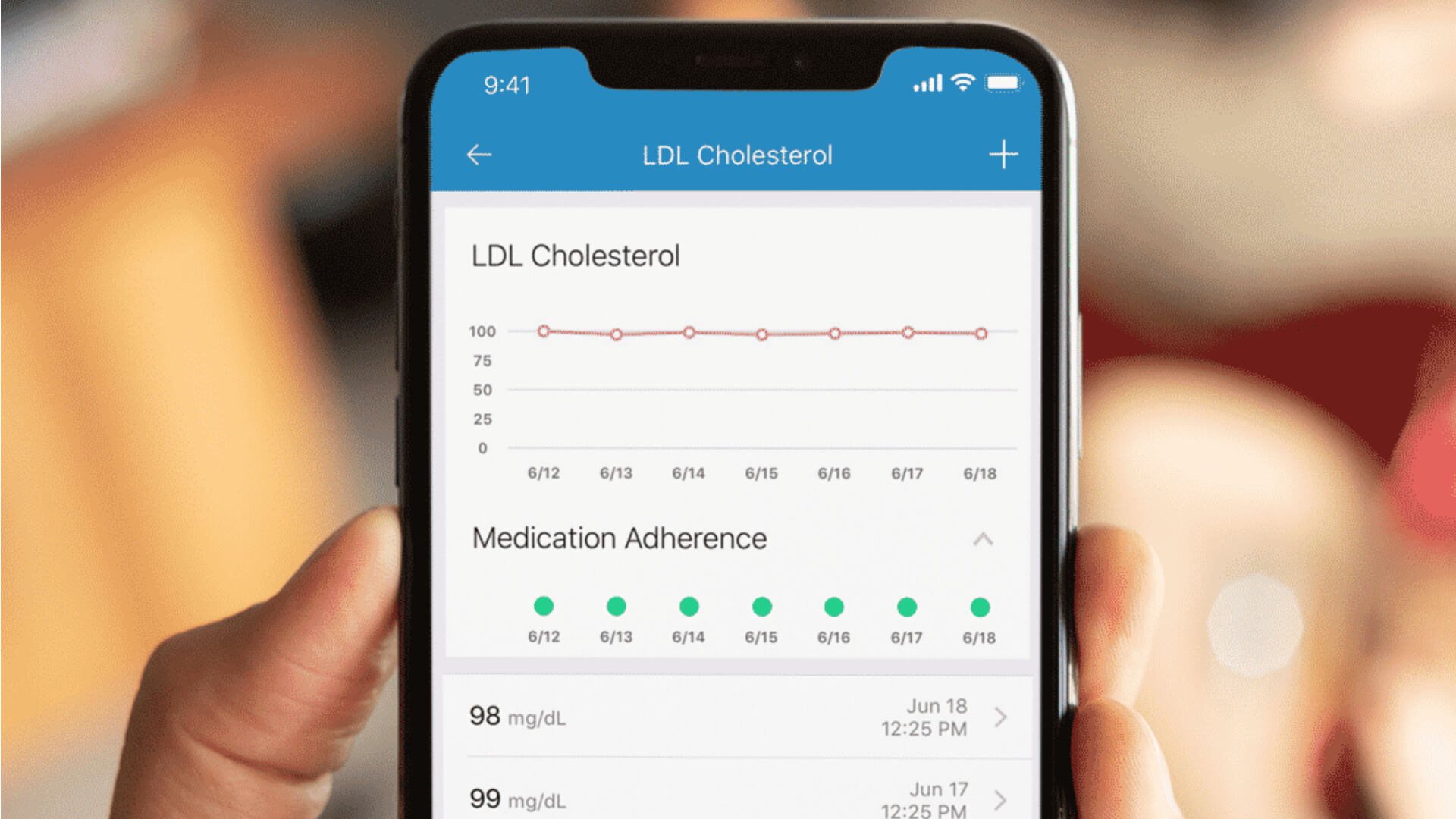
Key Features and Advantages:
- Pharmacist-Endorsed: It was ranked as the #1 app by pharmacists in a recent survey, ensuring professional credibility.
- Medication Interaction Alerts: The app's database contains over 300,000 medications and can warn you about potential dangerous combinations.
- Caregiver Dashboard: Family members can monitor your medication schedule remotely, providing peace of mind for everyone.
- Refill Reminders: The app alerts you when it's time to refill prescriptions, preventing gaps in your medication supply.
- Large Text Option: The interface can be adjusted for better readability, a crucial feature for seniors with vision concerns.
Pricing: Free version available; Premium subscription ($4.99/month) offers additional features like family sharing and advanced analytics.
Pill Reminder by MedMinder: Simplicity at Its Best
If you're looking for a straightforward, no-frills pill reminder, this app is an excellent choice.
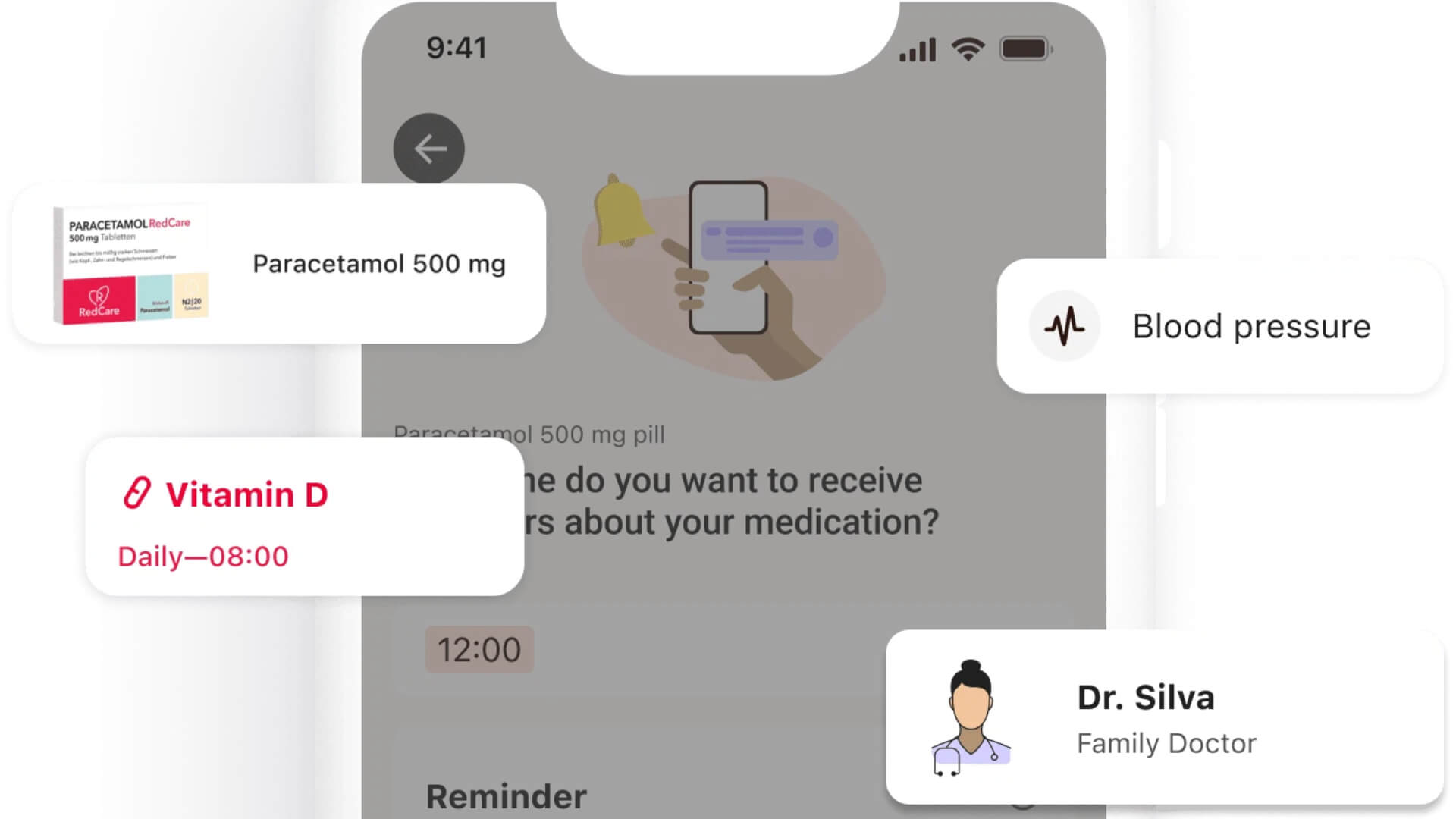
Key Features and Advantages:
- Intuitive Interface: The design is clean and easy to navigate, with large buttons and clear instructions.
- Customizable Reminders: Set multiple reminders per day, with options for snooze intervals and notification sounds.
- Medication History: Track your adherence over time with simple charts and reports.
- Pill Identifier: Unsure about a medication? Use the built-in pill identifier to confirm what you're taking.
Pricing: Free with ads; ad-free version available for $2.99/month.
CareZone: The Family-Centric Solution
CareZone is designed with caregivers in mind, making it easy for families to manage medications together.
Key Features and Advantages:
- Shared Care Lists: Multiple family members can access and update medication lists, ensuring everyone is on the same page.
- Medication Reminders: Receive alerts on your phone or via email when it's time to take medication.
- Health Journal: Track symptoms, doctor's appointments, and other health-related notes in one place.
- Drug Information: Access detailed information about each medication, including side effects and dosage instructions.
Pricing: Free basic version; Premium ($9.99/month) offers advanced features like unlimited family members and custom reports.
MyMedSchedule: The Doctor-Recommended Option
MyMedSchedule is praised by healthcare professionals for its comprehensive approach to medication management.
Key Features and Advantages:
- Doctor Collaboration: Share your medication schedule with your healthcare provider for better coordination.
- Multiple Reminder Types: Set reminders for pills, injections, inhalers, and other medication types.
- Adherence Tracking: Visual charts show your medication history, making it easy to identify patterns or issues.
- Medication List Export: Export your complete medication list for emergencies or doctor visits.
Pricing: Free basic version; Premium ($4.99/month) includes advanced reporting and integration with fitness trackers.
Choosing the Right App for You
When selecting a pill reminder app, consider these factors:
Ease of Use
Look for apps with simple navigation, large text, and intuitive design. Avoid apps with complex menus or confusing interfaces.
Safety Features
Prioritize apps that offer drug interaction warnings, dosage reminders, and medication history tracking.
Family Involvement
If you have caregivers or family members who help manage your medications, choose an app that supports sharing and remote monitoring.
Cost
While many apps offer free versions, consider whether the premium features are worth the subscription cost.
Getting Started with Your Pill Reminder App
Step 1: Choose and Download
Select an app from your phone's app store (App Store for iPhone, Google Play for Android).
Step 2: Set Up Your Profile
Create an account and enter your basic information. Some apps allow you to set up a profile for multiple family members.
Step 3: Add Your Medications
Enter each medication you take, including the name, dosage, frequency, and time(s) of day. Take your time to ensure accuracy.
Step 4: Customize Reminders
Set up reminders for each medication. Choose sounds and notification preferences that work best for you.
Step 5: Test and Adjust
Test the reminders to make sure they work correctly. Adjust settings as needed to fit your schedule.
Tips for Success
Keep Your List Updated
Regularly review and update your medication list, especially when starting or stopping medications.
Sync with Your Pharmacy
Many apps can sync with your pharmacy to automatically update prescription information and send refill reminders.
Involve Your Caregiver
If you have a family member or caregiver, share your medication schedule with them using the app's sharing features.
Be Consistent
Take your medications at the same time every day to build a routine. The app will help reinforce this habit.
Conclusion: Taking Control of Your Health
A pill reminder app is more than just an alarm—it's a comprehensive tool to help you manage your medications safely and effectively. With the right app, you can reduce the risk of missed doses, avoid dangerous drug interactions, and maintain better health overall.
Don't let medication management stress you out. With these apps at your fingertips, you can take control of your health and enjoy greater peace of mind.
Related Blogs

How to Choose the Best Health Insurance Plan in 2026: A Complete Buyer's Guide
Jun 30, 2026

HMO vs PPO vs EPO: Which Health Insurance Network Is Right for You?
Jun 28, 2026
Understanding Health Insurance Deductibles, Copays, and Out-of-Pocket Maximums
Jun 26, 2026

Best Health Insurance Plans for Self-Employed Professionals in 2026
Jun 24, 2026

What Data Do Companies Collect
Jun 23, 2026

Family Health Insurance: How to Cover Everyone Without Breaking the Bank
Jun 22, 2026

How Auto Insurance Premiums Are Calculated: Factors That Affect Your Rate in 2026
Jun 20, 2026

How to Download Apps Safely from Stores: A Complete Security Guide
Jun 19, 2026

Comprehensive vs Collision Auto Insurance: What's the Difference?
Jun 18, 2026
How to Spot Fake Websites: A Complete Guide to Protecting Yourself Online
Jun 16, 2026